Weekly Hidden Gems for your server

Add the bot, then a member with Manage Server can use /hidden-gems-subscribe to choose a channel. Stop delivery with /hidden-gems-unsubscribe. Posts go to that channel, with no DMs or everyone mentions.

See the latest Hidden Gems

FREE DISCORD BOT

Your Roblox game's live stats — right in Discord.

Live dashboards, spike alerts and trends for any Roblox game or UGC item. Set up in two minutes.

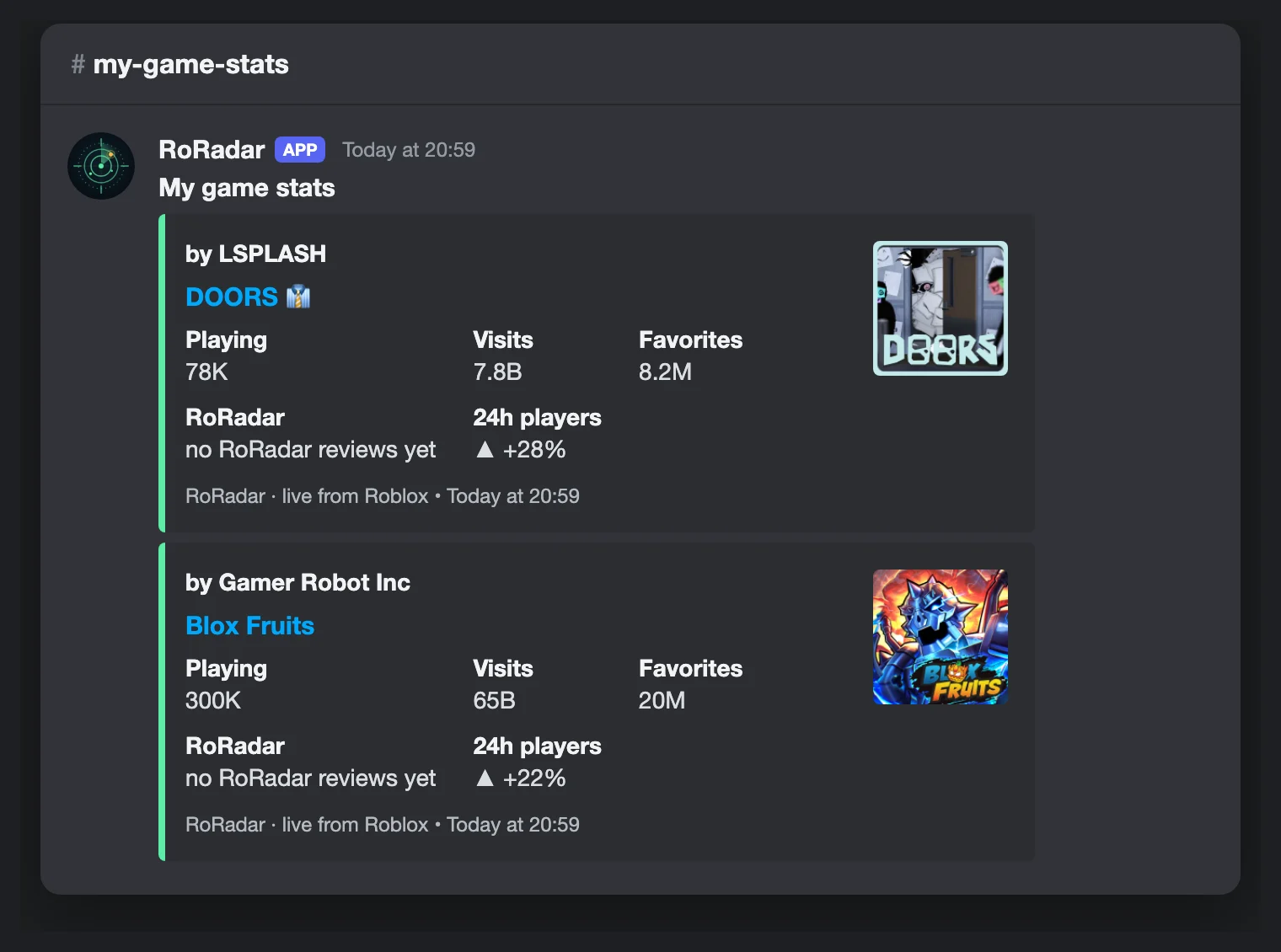
RoRadar bot dashboard in a Discord channel: DOORS and Blox Fruits with players, visits, favorites and 24 h change
Set up in 3 steps

From zero to live dashboard

  1. 1

    Add the bot

    Click Add to Discord and pick your server.

  2. 2

    Create a dashboard

    Type /setup, pick Games and a channel.
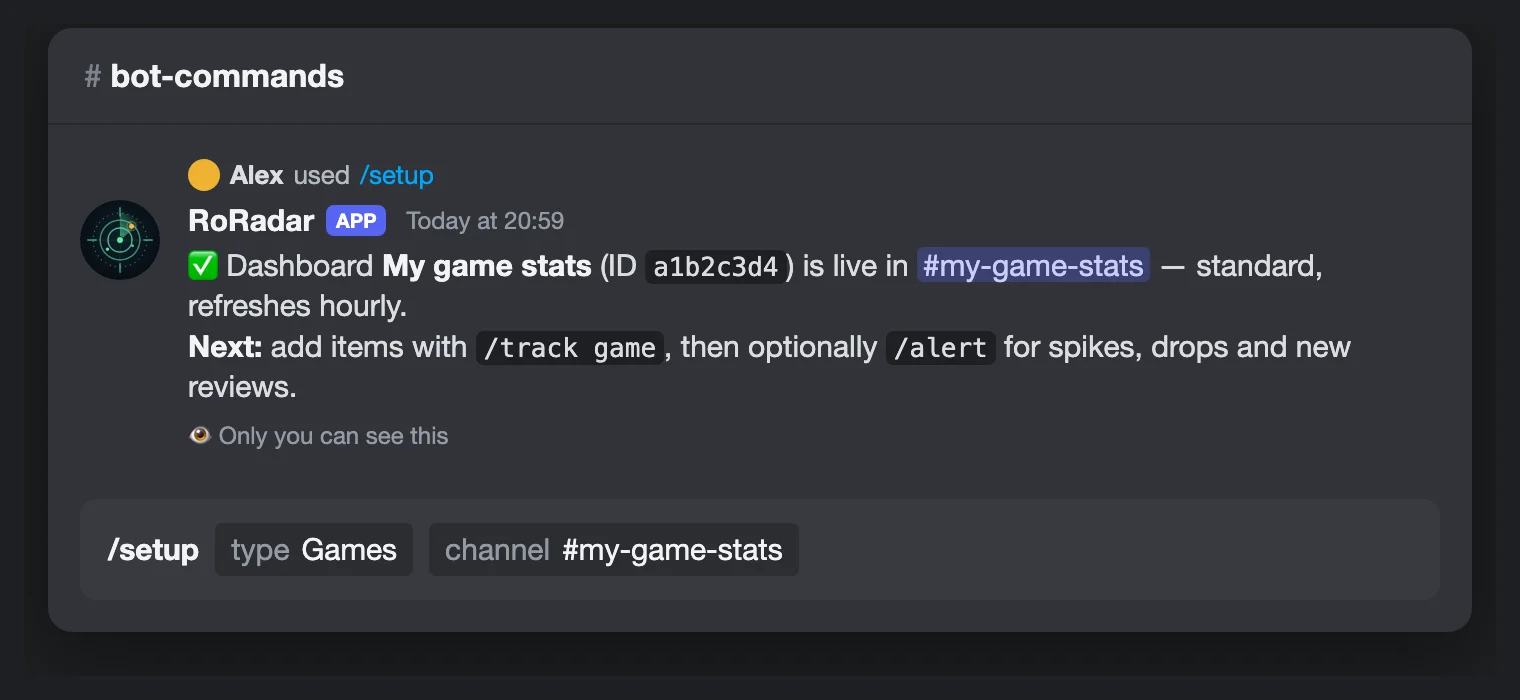
    The /setup command with type Games and channel #my-game-stats, and the bot's confirmation
  3. 3

    Add your game

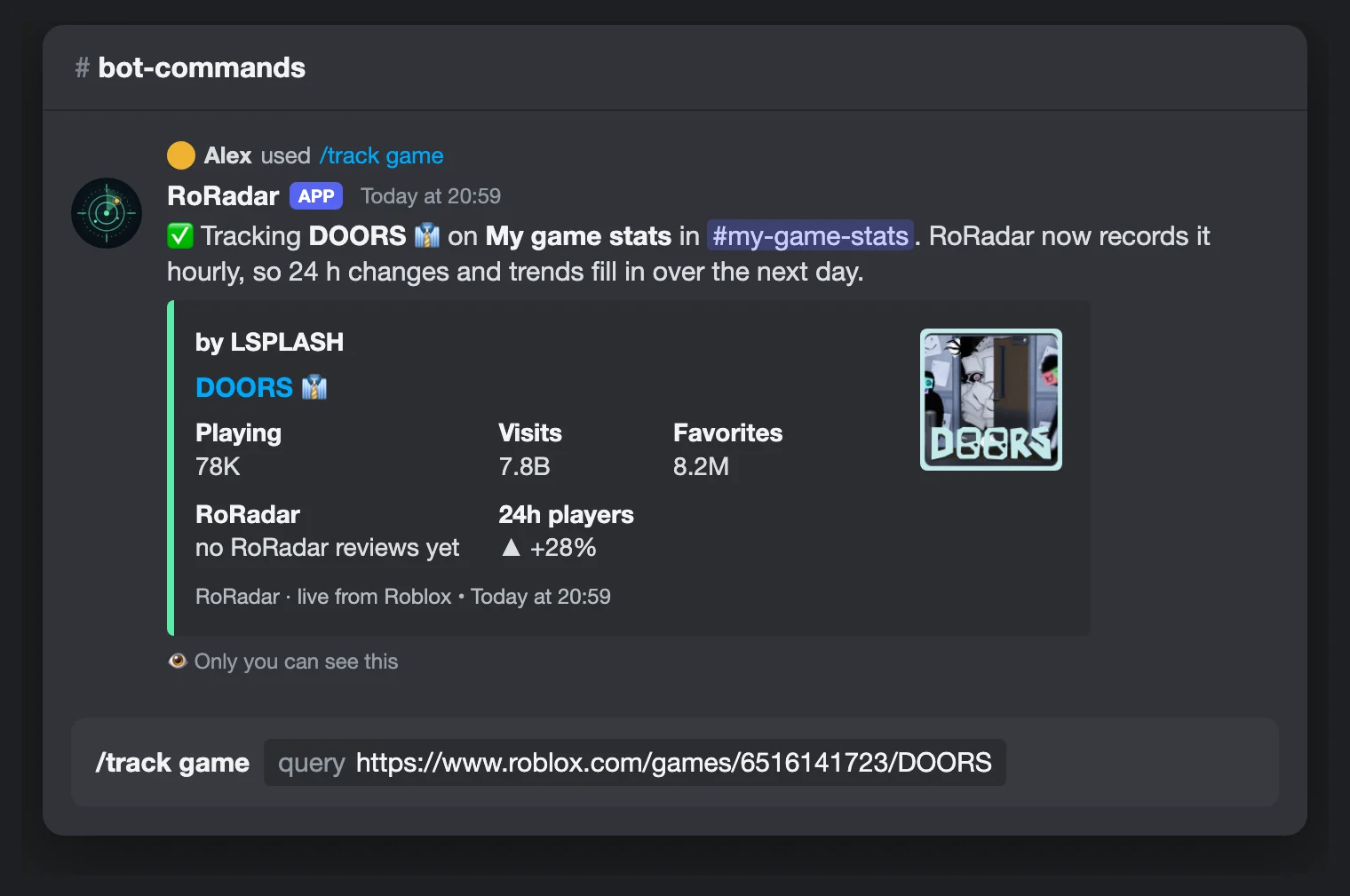
    Type /track game and paste your Roblox game link.

    The /track game command with a Roblox link, and the bot confirming it now tracks DOORS

Add RoRadar to your server

What you get

Built for game owners and Roblox communities
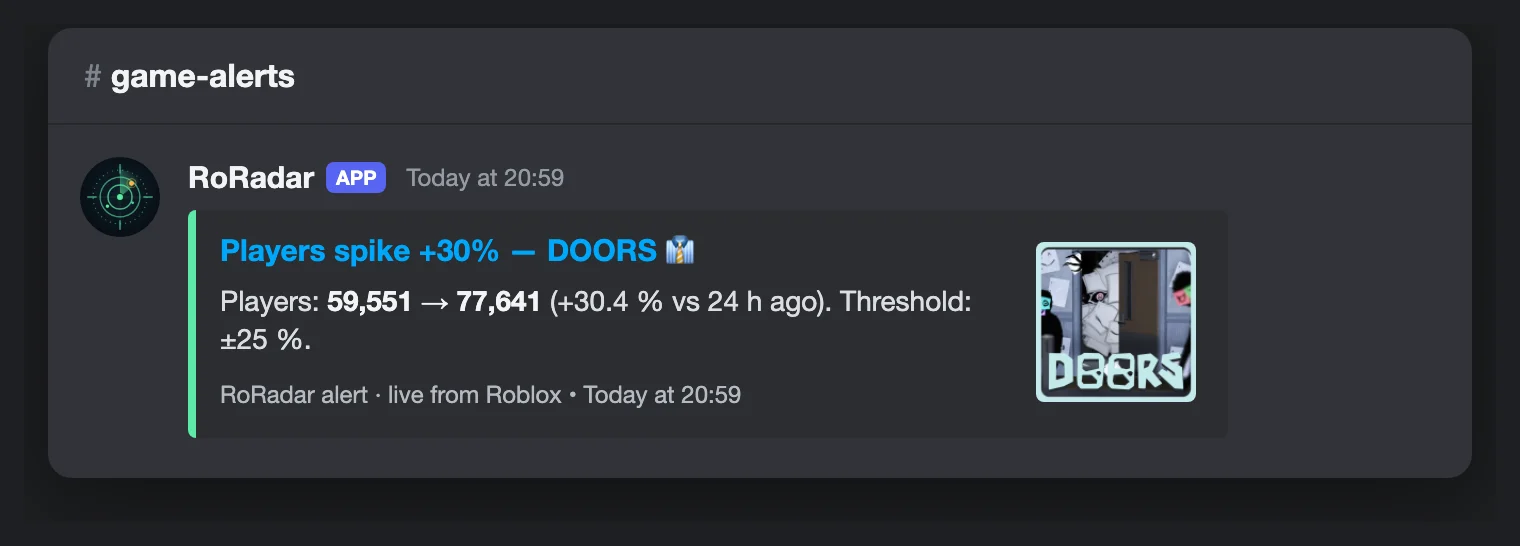
Alert: Players spike +30% on DOORS compared to 24 hours ago
Alerts Player spikes and drops, new reviews, price changes — with cooldowns, never spam. /alert
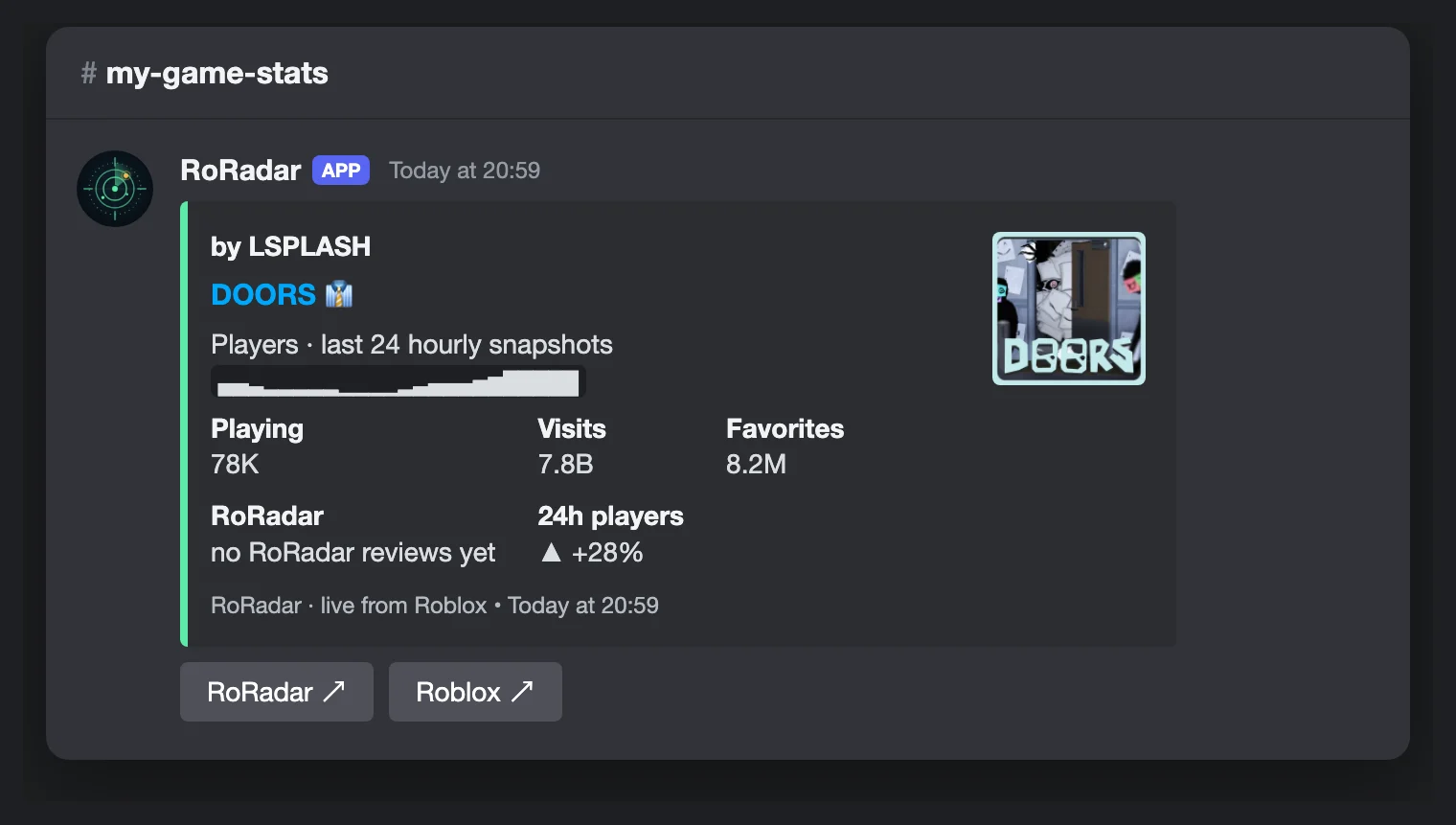
Detailed layout with a 24-hour player chart
Real trends 24 h changes and charts from RoRadar's hourly snapshots. /game trend
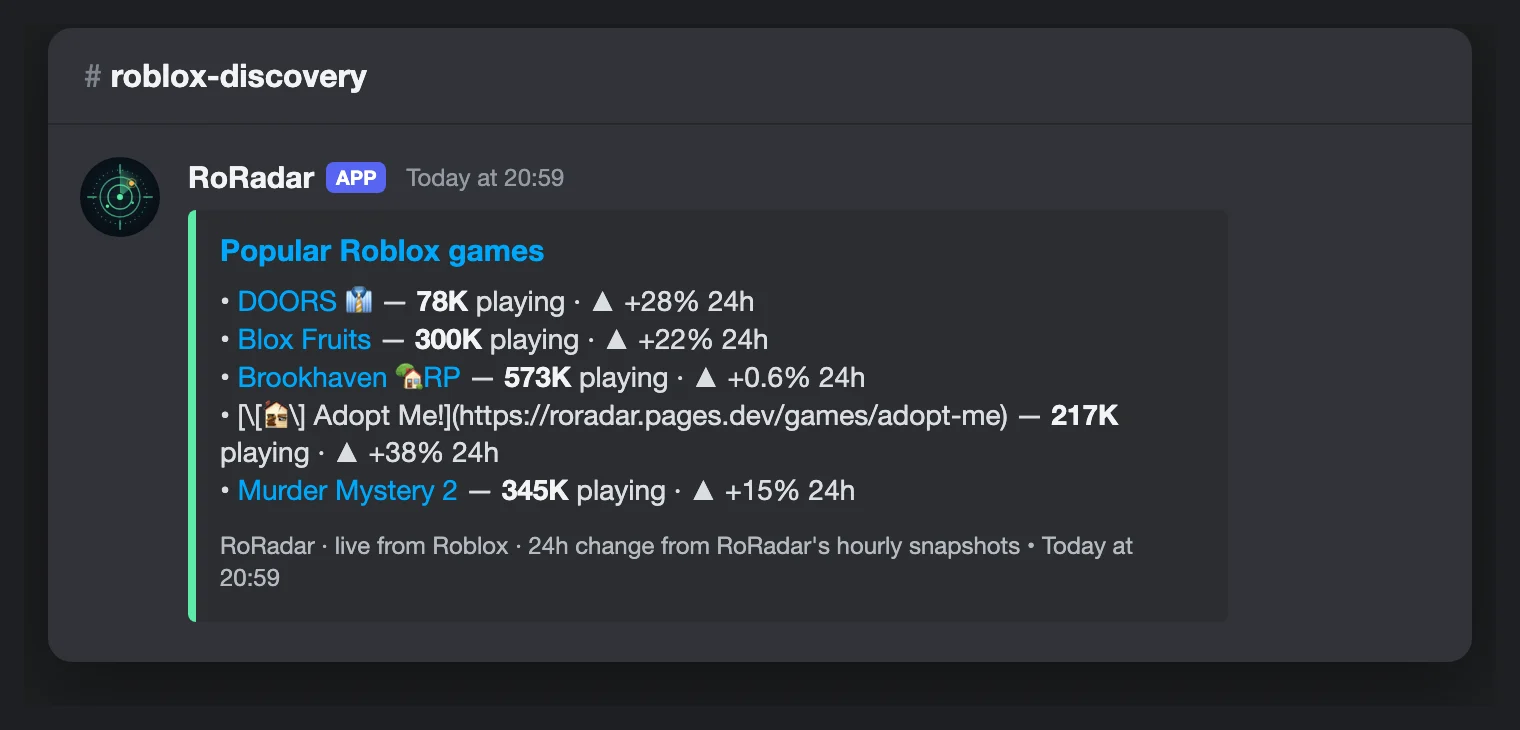
Compact dashboard listing five popular Roblox games
3 layouts Compact, standard or detailed — refreshed every 15 min to daily. /dashboard edit
For everyone on your server

More commands

Weekly Hidden Gems in your channel

A server manager can opt in with /hidden-gems-subscribe #channel. The bot posts the published Hidden Gems list once per week, with the source data date and comparison method.

Use /hidden-gems-unsubscribe to stop all subscriptions in this server, or select its optional channel to stop just one. Both commands require Manage Server. The bot sends channel posts only, with mentions disabled.

A missing or preview list waits for publication. If channel permissions are removed, delivery is paused; restore View Channel, Send Messages and Embed Links, then subscribe again.

FAQ

Questions about the bot

Is the RoRadar bot free?

Yes, completely free. There is no premium tier.

Does it need my Roblox account?

No. You only paste a public Roblox game link or UGC item link; the bot reads the public numbers Roblox publishes.

How often do dashboards update?

Every 15 minutes at the fastest; you can also choose hourly, every 6 hours or daily with /dashboard edit.

What permissions does it need?

Only view channels, send messages, embed links and read message history. No Administrator, no moderation, and it doesn't read your messages.

Where do the numbers come from?

From Roblox's public APIs, plus RoRadar's hourly snapshots for 24 h changes and charts. Nothing is estimated.

Safe by design

Only 4 permissions (view channels, send messages, embed links, read history). No Administrator, no moderation, no message reading. Setup commands need Manage Server. We store bot settings and anonymous usage counts only — see the privacy policy (DE).

Add to Discord — free